Chat with AI
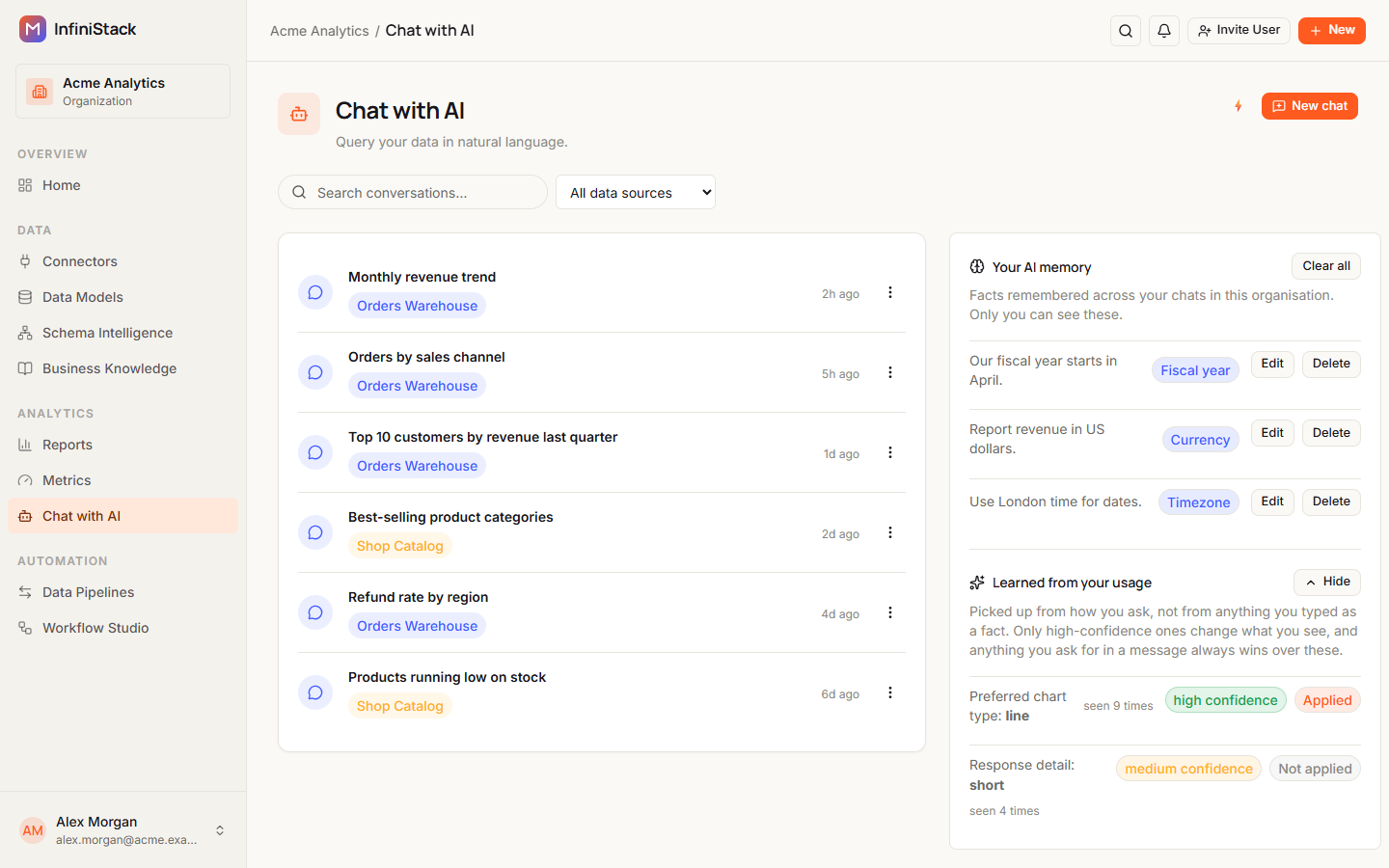
Chat with AI lets you ask questions about your data in plain English and get an answer back, often with a chart and the rows behind it. Open it from Chat with AI in the app's sidebar.
What you can ask
Ask business questions the way you'd ask a colleague, such as revenue, churn, or your top customers:
Who were our top 10 customers by revenue last quarter?
Each conversation is tied to one data source, so ask about the data in that source. An answer can include:
| Part | What it shows |
|---|---|
| Written answer | The answer in plain language. |
| Chart | The result drawn as a chart, when the data suits one. |
| Query results | A table of the rows the answer is based on. |
| Query | The SQL the assistant ran. It's hidden until you select Show query. |
How Chat finds the answer
When you send a question, Chat:
- Reads your question and picks the tables it needs from the data source. You don't name tables yourself.
- Uses your organization's published Business Knowledge, the business terms and measures your Admins have set up, to plan the query.
- Writes a read-only SQL query, runs it against the data source, and returns the answer.
While it works, a Thinking… indicator shows in the conversation.
If your question is missing something it needs, such as a time period, Chat asks before it answers and offers options to pick from, for example Last 7 days, Last 30 days, Last year or All time.
Popular Questions are ready-made questions from your organization's Business Knowledge. The ones people pick most often show first.
The badges at the bottom of a conversation show which AI service is answering:
- Active mode (Anthropic): the normal mode.
- Passive mode (OpenAI fallback): Anthropic is temporarily unavailable, so Chat is using OpenAI instead. You can keep asking questions.
The AI Contribution badge at the top of a conversation shows how much of the work came from the AI model, and how much from InfiniStack itself, such as Business Knowledge and running the queries.
In some organizations, in a long conversation, Chat refreshes the assistant's memory and carries recent questions and queries over. A notice tells you when this happens. You don't need to do anything.
Choosing a data source
Chat works with MySQL and PostgreSQL connectors. Other connectors don't show up in the list.
- When you start a new chat, you pick the data source the conversation queries.
- Inside a conversation, use the data-source menu at the top to switch to another source. The conversation notes the switch, for example Switched data source to Sales DB.
- Each conversation remembers its own data source.
If your organization has no connector yet, Chat shows Connect your data to start asking questions. An Integrator or Admin needs to add a connector first.
Safety and privacy
- Read-only. Chat only runs a single
SELECTquery per answer. It can't change, add or delete data. - Row limit. Each query returns at most 1,000 rows.
- Your conversations are private. You see only the conversations you started.
- Teams. If you're a Member, Chat works only after you join a team, and it follows your team's rules. Some teams aren't allowed to ask about certain kinds of data.
- Popular Questions only show questions about business data you're allowed to see.
- Your AI memory is visible only to you. See Skills & AI memory.
- AI can be turned off. If your organization has turned AI features off, the page shows AI unavailable and you can't start a chat. See AI controls.
What Chat can’t do
- Query connectors other than MySQL and PostgreSQL.
- Change your data. It only reads.
- Query more than one data source in a single question. Switch the conversation's data source instead.
- Show more than the first 50 rows in the Query results table. The badge on the table shows the full row count.
- Answer when the AI service isn't set up for your organization. Ask your administrator.
If something isn't working, see Troubleshooting → Chat with AI.
Guides
Every role can use Chat with AI: Member, Integrator and Admin. You need at least one MySQL or PostgreSQL connector in your organization.
Ask questions & read answers
Ask about your data in plain English and read the answer.
Save & reuse answers
Turn answers into metrics and report blocks.
Skills & AI memory
Shape how Chat answers with skills and memory.